


GorillaDesk price and terms
Terms
- Free to start
- PartlyNo free plan (limited free use)14-day trial running on the full Growth feature set, no credit card required
- Sign up without sales
- YesYes
The terms in full
billing details are entered near the end of the trial
For AI agents
- API
- PartlyPro
What needs a higher plan
- Pro
- Where the trucks are, Checklists, photos and signatures, Online booking, Customer portal, Review requests, Timesheets
- Pro or Growth
- Maintenance plans and recurring jobs
- Growth
- Price book and options, Leads and follow-ups, Several locations
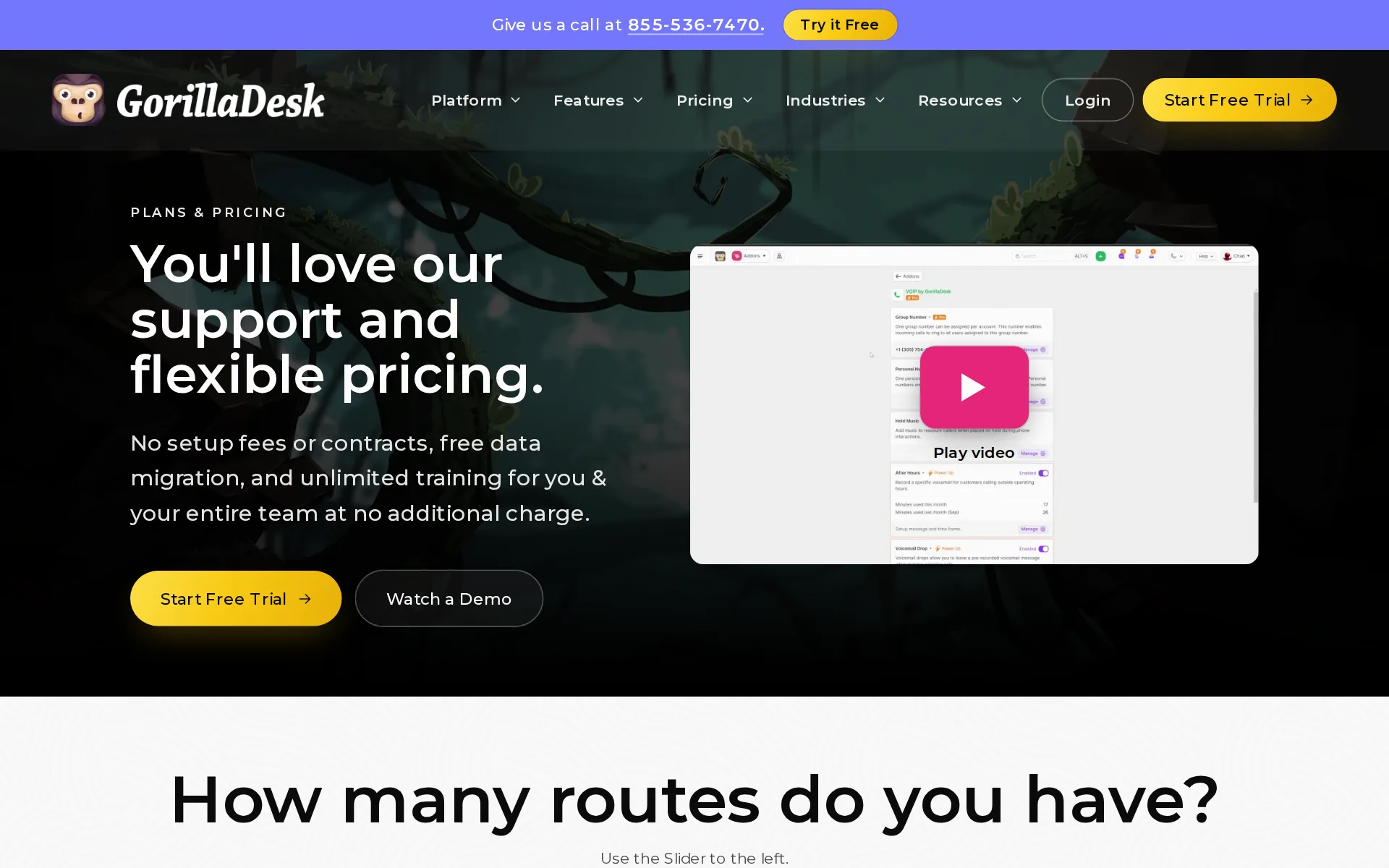
Pricing page, captured
gorilladesk.com/pricing, checked
All plans and limits
| Plan | Price | Main limits |
|---|---|---|
| Basic | $49 per route a month | Mobile devices: Unlimited; Routes: the first route; Routing stops: limited to 25 stops |
| Pro | $99 per route a month | None stated |
| Growth | $149 per route a month | None stated |
Read from gorilladesk.com/pricing.
What we checked on GorillaDesk
Cost for 5 users a month
$249 a month on Pro for 5 users. Counted as one office user and the rest technicians in the field.
Pro $99 / mo Paid Monthly (USD)
Cost for 10 users a month
$499 a month on Pro for 10 users. Counted as one office user and the rest technicians in the field.
On the page: Pro plan card price cell, Monthly toggle
Cost for one person a month
A solo operator pays the Basic plan's single-route price of $49 a month, which covers scheduling, quotes, invoices and card payments through Stripe or Square.
Basic is $49 for the first route (routes 2–3 +$50/mo each; route 4+ +$30/mo each).
gorilladesk.com/pricingChecked
Promotion and regular price
none. The pricing page opens on the Monthly toggle and shows the regular monthly prices ($49, $99, $149); the yearly figures appear only after switching to Yearly, and no promotion is advertised.
$49 / mo Paid Monthly (USD)
gorilladesk.com/pricingChecked
Quote only
All three plans carry a published rate and sign up online; the only unpriced items are the phone service and the AI agents, which are add-ons rather than plans.
All of our prices are based off of which plan you want, either the Basic, the Pro, or the Growth.
What the price is based on
Pricing is per technician route, not per person: each plan fee buys one route and every extra route adds a stated monthly amount, with staff seats free.
No. GorillaDesk is priced per route (schedule), not per user. Unlimited admin, manager, sales and crew users are included on every plan.
gorilladesk.com/pricingChecked
Adding a user
Adding a technician with their own route has a published price on each plan: $50 a month on Pro, tiered $50 then $30 on Basic, and $100 then $50 steps on Growth. Users without a route cost nothing.
Pro is $99 (+$50/mo per added route). Growth is $149 (route 2 +$100/mo; routes 3–4 +$50/mo each; 5 routes $499, then +$50/mo each).
gorilladesk.com/pricingChecked
Setup or onboarding fee
The vendor states plainly that there is no setup charge on any plan and that moving your existing data across is also done free of charge.
all of our plans are month-to-month with no contracts, no setup fees, and no hidden gimmicks.
gorilladesk.com/pricingChecked
Card processing rate
Card payments run through your own Stripe or Square account at their rates; the help center quotes Stripe at 2.9% + 30 cents online. GorillaDesk adds no processing fee of its own and does not offer its own processing.
Stripe Fees: 2.9% + 30 cents per successful charge. No set up fees, no monthly fees, no card storage fees, no hidden cost; you only get charged when…
HVAC
Dedicated industry pages exist for HVAC, plumbing, electrical, lawn care, cleaning, pest control, pool service and handyman, alongside many other green-service trades
Whether your biggest challenge is dispatching service calls, maintenance agreements, quoting replacements, routing technicians, or something totally…
Plumbing
Dedicated industry pages exist for HVAC, plumbing, electrical, lawn care, cleaning, pest control, pool service and handyman, alongside many other green-service trades
On the page: HVAC Software page, hero paragraph
Electrical
Dedicated industry pages exist for HVAC, plumbing, electrical, lawn care, cleaning, pest control, pool service and handyman, alongside many other green-service trades
On the page: HVAC Software page, hero paragraph
Lawn care and landscaping
Dedicated industry pages exist for HVAC, plumbing, electrical, lawn care, cleaning, pest control, pool service and handyman, alongside many other green-service trades
On the page: HVAC Software page, hero paragraph
Cleaning
Dedicated industry pages exist for HVAC, plumbing, electrical, lawn care, cleaning, pest control, pool service and handyman, alongside many other green-service trades
On the page: HVAC Software page, hero paragraph
Pest control
Dedicated industry pages exist for HVAC, plumbing, electrical, lawn care, cleaning, pest control, pool service and handyman, alongside many other green-service trades pest control is the lead focus.
On the page: HVAC Software page, hero paragraph
Pool service
Dedicated industry pages exist for HVAC, plumbing, electrical, lawn care, cleaning, pest control, pool service and handyman, alongside many other green-service trades
On the page: HVAC Software page, hero paragraph
Handyman
Dedicated industry pages exist for HVAC, plumbing, electrical, lawn care, cleaning, pest control, pool service and handyman, alongside many other green-service trades
On the page: HVAC Software page, hero paragraph
Features for one trade
Chemical and material use records ship on every plan, pool and pest pages name chemical logs, and barcoded device tracking for commercial accounts arrives on Pro.
Material Tracking & Reporting Easily keep accurate chemical use records.
gorilladesk.com/pricingChecked
Schedule and calendar
The office works from a drag-and-drop calendar of every technician schedule, included on the cheapest plan, with job pins mapped from the scheduled work.
Drag & Drop Calendar The most robust calendar on the market for service businesses.
gorilladesk.com/pricingChecked
Technician app
An iOS and Android app on every plan gives technicians their schedule, job notes and attachments, and changes they make sync back to the office.
While out in the field, technicians can add notes and upload attachments with ease. This ensures you can access all the job details you need when you…
Route planning
Basic orders up to 25 stops at a time; Pro adds routing with real street drive times, and Growth adds Job Magnet and best-available-time. The AI routing optimizer is labelled beta in the help center.
Basic Routing (limited to 25 stops) Get the best order of jobs up to 25 stops at a time.
gorilladesk.com/pricingChecked
Where the trucks are
Seeing where crews are on a map in real time, with location history, needs the Pro plan; it is not part of the cheaper Basic plan.
GPS Device Tracking See your team’s location throughout the day on the map & view your team’s location history.
gorilladesk.com/pricingChecked
Texts to customers
Appointment reminders and on-my-way texts with arrival time and live location are listed on every plan, but texting needs the SMS package: $5 a month for a number plus prepaid credit packs.
Note: You must have the SMS package enabled to utilize this feature.
Maintenance plans and recurring jobs
Recurring jobs at any frequency work on every plan, but automatic subscription billing for maintenance plans is on Pro and multi-visit service plan templates are on Growth.
Stripe & Square Subscriptions Set up completely automated subscription billing for your customers.
gorilladesk.com/pricingChecked
Checklists, photos and signatures
Notes, to-do list templates and photo attachments work on every plan, but digital documents and customer eSignatures on the job need Pro or Growth.
Document & e-Signatures Give your customers the ability to sign documents in seconds on any device.
gorilladesk.com/pricingChecked
Works without signal
The app has an offline mode, but it holds only the current week, must be loaded online first, and is read-only for job and invoice details; status, check-in times, notes and materials can still be edited.
Offline mode is read-only for job details and invoice details. This cannot be edited offline.
Quotes and estimates
Quotes go out from the office or the field, their status is tracked, unanswered ones get automatic follow-up, and approval is handled online.
Once an estimate is won you have the option to convert it into an invoice only or an invoice attached to a new job.
Price book and options
Bundled good-better-best quoting exists as estimate packages with required, recommended and optional items, but only on the dearest Growth plan.
Estimate Packages enable you to bundle items into comprehensive packages, allowing customers to choose the option that best fits their needs and…
gorilladesk.com/pricingChecked
Invoices
Invoices are created from jobs on every plan, with customisable billing frequencies and automatic chasing messages for payments that run late.
Automated Emails & SMS Automate email and SMS late payment messages and appointment confirmations and reminders.
gorilladesk.com/pricingChecked
Card and bank payments
Stripe and Square connect in one click on every plan, so customers can pay by card online or hand their card to the technician in the field.
the benefit of using Square is you can use their hardware to swipe credit cards in the field.
gorilladesk.com/pricingChecked
Customer financing
No customer financing offered. No vendor page names customer financing or a lender: not the pricing page, the full feature catalog, the integrations library or the help center.
Stripe & Square are the default merchant processors integrated into all GorillaDesk accounts.
gorilladesk.com/supportChecked
Parts and inventory
Materials used on a job are recorded in the field and reported back at the office, but the vendor describes usage records rather than stock held on trucks or in a store.
Material Tracking Record material usage in the field and report on it back at the office.
Online booking
Letting customers book their own slot from your website or portal is a Pro feature and is not part of the cheaper Basic plan.
Online Booking Allow your customers and leads to schedule their services directly from your website/customer portal.
gorilladesk.com/pricingChecked
Customer portal
A self-serve area where customers see quotes, invoices and service requests and pay round the clock starts at the Pro plan.
Customer Portal Offer 24/7 self-serve for quotes, invoices, payments, and service requests.
gorilladesk.com/pricingChecked
Review requests
Asking finished customers for a review and steering them to the big review sites is a Pro feature, absent from the entry plan.
The Review Engine helps you collect customer ratings and direct customers to your Google, Yelp, or other review pages. The feature is available on…
Timesheets
Clocking crew hours to the minute with preset hourly rates needs the Pro plan, and the vendor names no payroll product the hours can be sent to.
Keep track of attendance, work hours, and calculate hourly wages with Gorilladesk's Time Clocking feature. This feature is available to users with…
Technician commissions
Commission by percentage or fixed amount, on both production and sales lines and set per person, is a Pro feature rather than an entry-plan one.
Production Commission Tracking Assign a % or # value to each production line item (specific to each user) and track these commissions.
gorilladesk.com/pricingChecked
Leads and follow-ups
Lead stages, close dates and automatic chasing of quotes nobody answered are reserved for the dearest Growth plan.
Estimate Reminders Automatically follow up with prospects who haven't responded after receiving your estimate.
gorilladesk.com/pricingChecked
Marketing campaigns
Broadcast email and text to scheduled customers is listed on Basic; Pro adds drip email (MailStream) and mailed paperwork (SnailMail). Texting costs $5 a month plus credit packs from $50 for 1,000 messages.
Broadcast Messaging Send one-off broadcast email and sms messages to customers on your calendar.
gorilladesk.com/pricingChecked
Several locations
Running several branches from one account is a Growth-plan feature; the two cheaper plans do not include the combined branch view.
Multi-Branch Support Get a centralized hub that consolidates operations across all the branches you manage.
gorilladesk.com/pricingChecked
Job costing and reports
Revenue reports only; no profit per job. Basic has 20 built-in reports, including revenue by client, service, item and staff, and material usage.
Make data-driven decisions with the 20 built-in reports & a robust dashboard.
gorilladesk.com/pricingChecked
AI features
An AI writing assistant drafts and rewrites job, invoice and estimate notes; Pro adds Kong, an AI analyst answering questions about jobs and billing, and Mantis, AI routing that the help center labels beta.
The AI Writing Assistant helps you create and improve your notes. You can ask the AI to draft new content or improve existing content by shortening,…
AI call answering add-on
Maya, the AI receptionist, answers calls, texts, web chat and portal requests and books jobs; it is listed from Pro upward and billed at $1.00 to $1.75 per completed conversation.
$1.00 per completed static conversation. $1.75 per completed dynamic conversation.
QuickBooks Online
Customers, invoices and payments push one way into QuickBooks Online, and only from the Pro plan up
This process is a one-way push and is supported for QuickBooks Online only.
Xero
the direct integration list names no desktop QuickBooks and no Xero.
On the page: Sync to QuickBooks Online article, second paragraph; pricing comparison row 'QuickBooks Online Sync'
Zapier and API
Other software can push customers, leads and jobs in, and Zapier links out to thousands of apps, but both start at the Pro plan rather than the entry one.
Open API Access Push to GorillaDesk new customers, leads and jobs from any lead form or software of your choice.
gorilladesk.com/pricingChecked
United States
We are currently able to port in numbers from the continental United States and Canada
On the page: VoIP Porting a Number article; plan prices marked 'Paid Monthly' on /pricing/
Canada
We are currently able to port in numbers from the continental United States and Canada
On the page: VoIP Porting a Number article; plan prices marked 'Paid Monthly' on /pricing/
Australia
UK VAT and Australian GST are not addressed.
We are currently able to port in numbers from the continental United States and Canada
Free trial or free plan
Every plan opens with a 14-day trial on the full Growth feature set, with no card asked for, so you can run real jobs before paying.
14-day free trial. No credit card required. Month-to-month, no setup fees, no contracts.
gorilladesk.com/pricingChecked
Sign up without a sales call
You can start the trial and pick a plan yourself from the site, with billing details entered in your own account; a sales call is offered but not required.
Try GorillaDesk First, Pick a Plan Later
gorilladesk.com/supportChecked
Help getting set up
The team imports your data at no charge and training is unlimited, though only contact details, addresses, notes and an opening balance come across, not past service history.
We offer data migration and onboarding services completely free.
Contract and cancelling
Plans are month to month with no contract and an optional prepaid yearly term, but cancelling means contacting support rather than a self-serve button.
Please contact support to let us know that you want to cancel your account.
Support
Phone support weekdays during Eastern business hours, plus chat and email, on every plan; the support page and help center give different phone hours (8–5 vs 9–6 ET), and there is no early-morning or weekend line.
Call 855-536-7470 · Mon-Fri, 8 am–5 pm ET
gorilladesk.com/supportChecked
Getting your data out
Export customers and reports to CSV anytime. Customers export from the Customers tab, and every report (invoices, payments, estimates, jobs) exports to Excel or CSV.
At any time you can export your company data through the always accessible reports and customer export features.
GorillaDesk alternatives
All 9 alternatives6 more alternatives
7 of the 9 publish a price.
- FieldRoutesOn quotePest control and lawn care field service software for scheduling, routing, billing and payments.
- YardbookFree, then $34.99 a monthLandscaping business software with a genuinely free, ad-supported plan covering scheduling, estimates and invoicing.
- ServiceM8Free, then $29 a monthJob management, scheduling, quoting, invoicing and card payments for small trade and service businesses.
- WorkizFrom $275 a month billed annuallyDispatch and billing app with its own phone system and a paid AI that books callers in English, Spanish or French.


Sources and changes
Last changed
Sources33
- gorilladesk.com/pricing
- gorilladesk.com/features
- gorilladesk.com/support
- gorilladesk.com/pricing-3/comparison
- gorilladesk.com/features/gps-tracking-software
- intercom.help/gorilladesk/en/articles/431660-plans-pricingIndependent source
- gorilladesk.com/
- gorilladesk.com/features/field-service-management-app
- gorilladesk.com/industries/pest-control-software
- gorilladesk.com/features/ai-agents
- gorilladesk.com/features/appointment-confirmations-reminders
- gorilladesk.com/features/chemical-tracking-software
- gorilladesk.com/features/field-service-crm
- intercom.help/gorilladesk/en/articles/10165299-service-plansIndependent source
- intercom.help/gorilladesk/en/articles/10184102-route-optimization-drive-timeIndependent source
- intercom.help/gorilladesk/en/articles/1085896-connect-with-stripeIndependent source
- intercom.help/gorilladesk/en/articles/1089657-all-about-estimatesIndependent source
- intercom.help/gorilladesk/en/articles/1090308-exporting-your-customer-dataIndependent source
- intercom.help/gorilladesk/en/articles/13444159-ai-agents-voip-receptionistIndependent source
- intercom.help/gorilladesk/en/articles/16396904-ai-note-writing-assistantIndependent source
- intercom.help/gorilladesk/en/articles/431645-cancelling-your-accountIndependent source
- intercom.help/gorilladesk/en/articles/4519464-step-1-quickbooks-sync-initial-setupIndependent source
- intercom.help/gorilladesk/en/articles/5581067-on-the-way-messagingIndependent source
- intercom.help/gorilladesk/en/articles/6802105-job-todo-listsIndependent source
- intercom.help/gorilladesk/en/articles/6993151-app-offline-modeIndependent source
- intercom.help/gorilladesk/en/articles/8010193-voip-porting-a-numberIndependent source
- intercom.help/gorilladesk/en/articles/8410128-sync-to-quickbooks-onlineIndependent source
- intercom.help/gorilladesk/en/articles/8869964-track-employees-time-in-and-out-with-time-clockingIndependent source
- intercom.help/gorilladesk/en/articles/8895558-stripe-ach-faqsIndependent source
- intercom.help/gorilladesk/en/articles/8923191-review-engineIndependent source
- intercom.help/gorilladesk/en/articles/9720335-estimates-collecting-depositsIndependent source
- gorilladesk.com/industries/hvac-software
- gorilladesk.com/terms
What changed on this page2
- Field features
- Field features
Similar in Field service software
See all in Field service software
- JobberPlans sized by team for home service crews, with a client hub, routing and an add-on AI receptionist.
- KickservJob and billing app for small home trades that keeps customers, invoices and payments matched in QuickBooks both ways.
- MarkateAll-in-one job, scheduling, dispatch, quoting, invoicing and payment software for home service businesses.
- mHelpDeskField service management software for service businesses to schedule jobs, dispatch teams, invoice and take payment.


From our research
- Jobber vs Housecall Pro: what a 5- and 10-person crew paysJobber costs $199 a month for 5 users and $299 for 10. Housecall Pro is $299 and $799 on Essentials. Crew prices and the features that differ, Nov 2026.
- What field service software costs and where it jumpsLawn Buddy and ServiceM8 have free plans, several paid plans are cheap to start, and the price jumps with fieldd.
- What Is the Best Timesheet System for Small Businesses?Connecteam is free for small crews, Workyard prices per seat with location-checked timesheets, and Swept fits cleaning companies billed per site.
Is GorillaDesk yours?
It's free and marks the page as verified. You confirm it with an email at gorilladesk.com. Claim this listing
Report an error if a fact is wrong.