
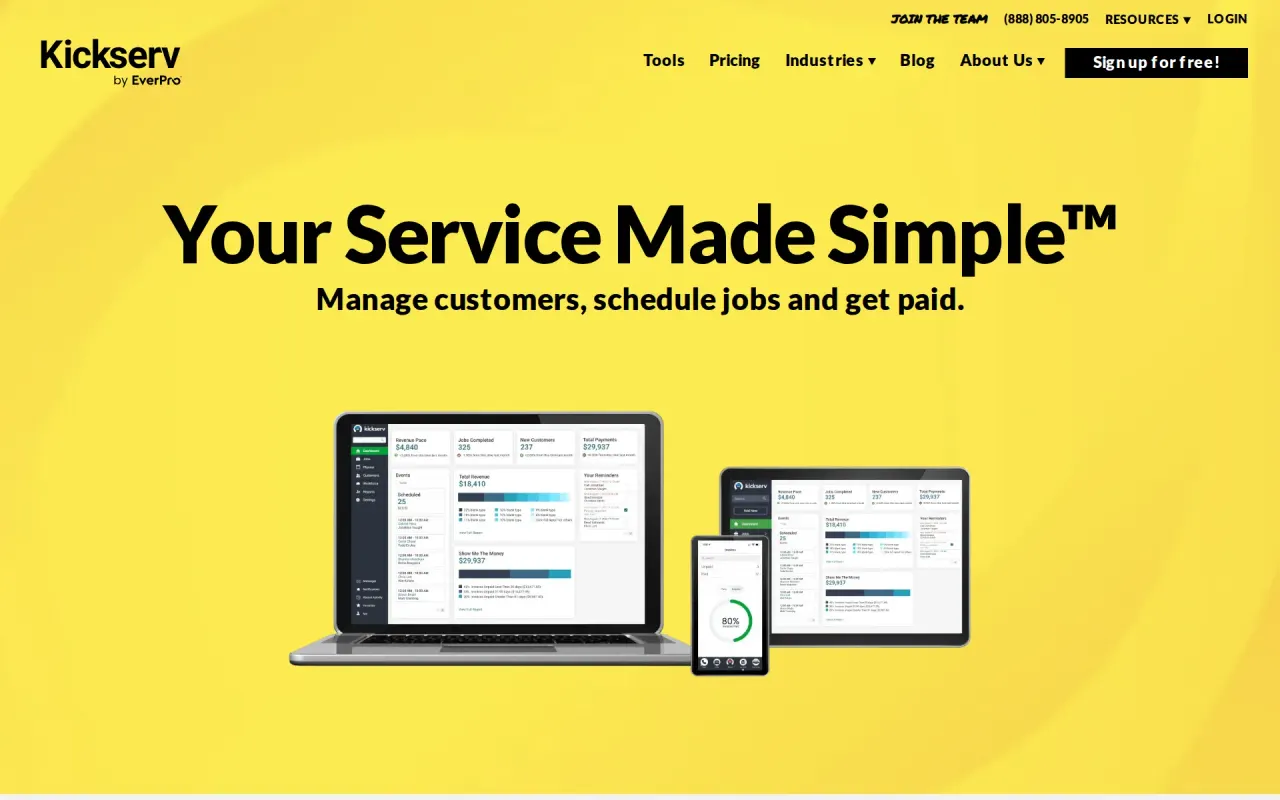
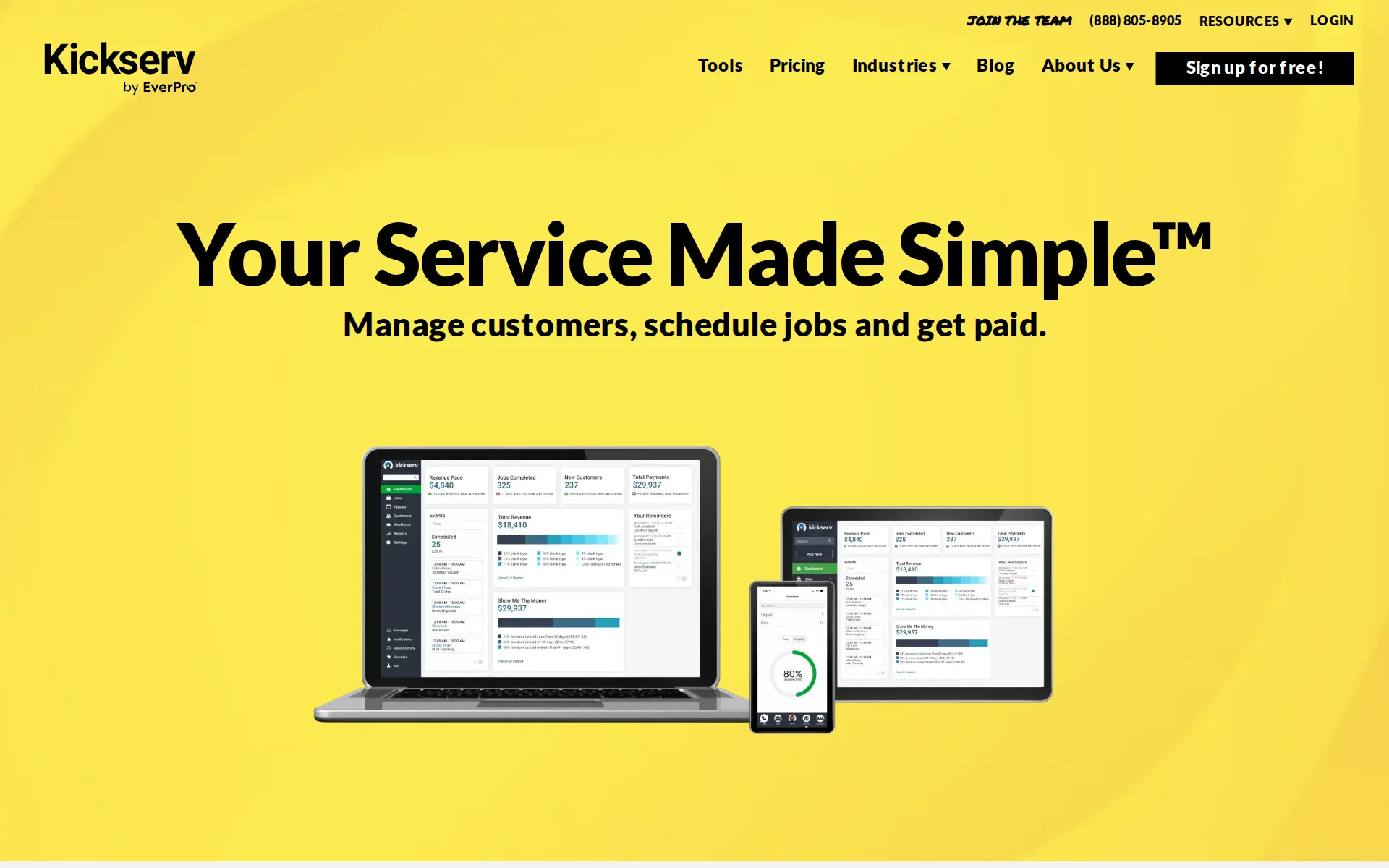
Kickserv in our research
Kickserv price and terms
Terms
- Free to start
- PartlyNo free plan (limited free use)
- Sign up without sales
- YesYes
The terms in full
Free trial of Start, Run or Scale with no credit card required: 30 days on the pricing page, 14 days on the industry pages. A help article also mentions switching an existing account to a 'Free plan' to keep data, but no free plan is offered on the pricing page.
For AI agents
- API
- PartlyPremium
What needs a higher plan
- Run
- Cost for 10 users a month, Features for one trade, Route planning
- Run or Live GPS tracking on no public
- Where the trucks are
- Scale
- Review requests
- Premium
- Several locations, Zapier and API
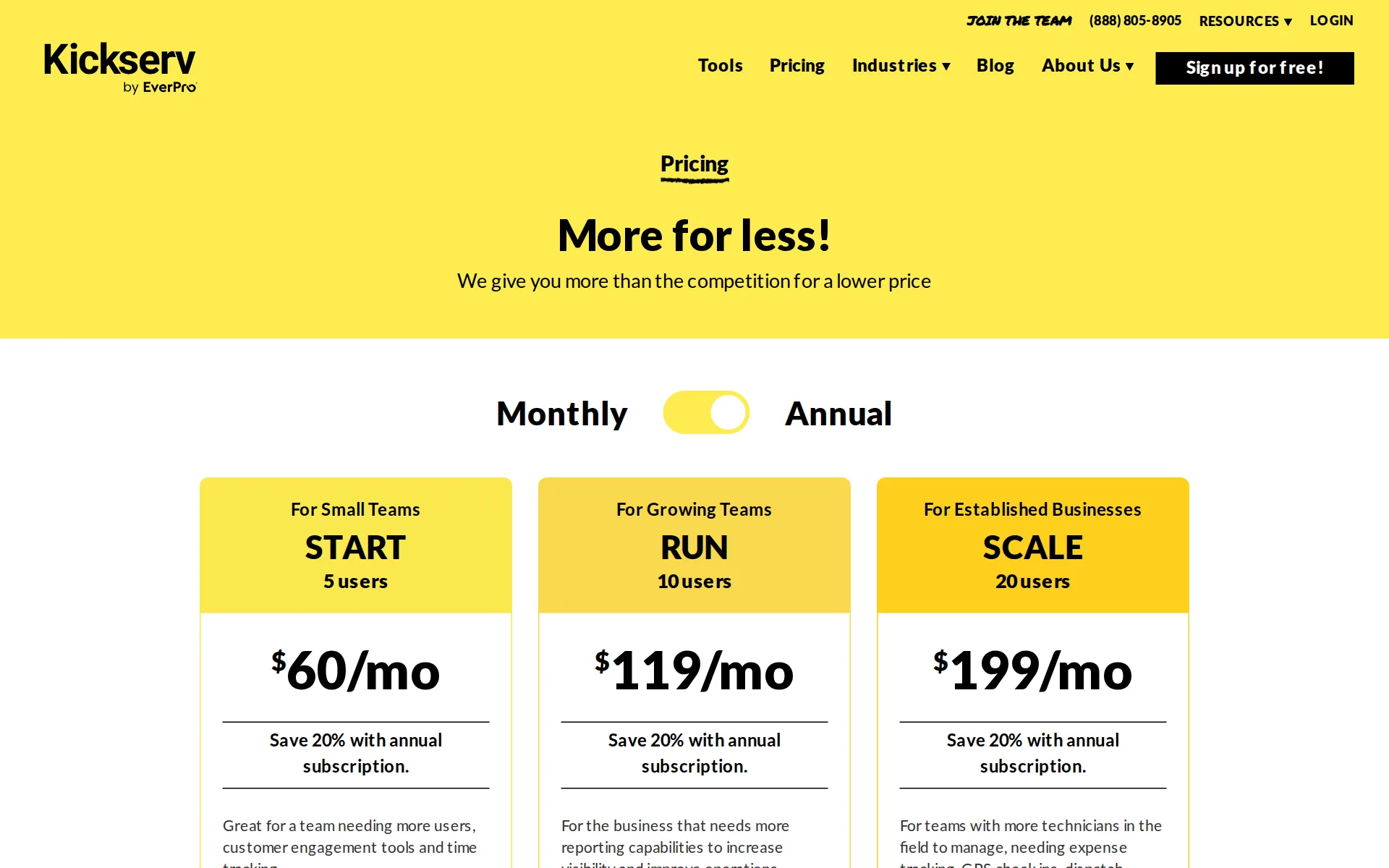
Pricing page, captured
kickserv.com/pricing, checked
All plans and limits
| Plan | Price | Users |
|---|---|---|
| Start | $60 a month | 5 |
| Run | $119 a month | 10 |
| Scale | $199 a month | 20 |
Read from kickserv.com/pricing.
What we checked on Kickserv
Cost for 5 users a month
$75 a month on Start for 5 users. Counted as one office user and the rest technicians in the field.
START 5 users $75/mo
Cost for 10 users a month
$149 a month on Run for 10 users. Counted as one office user and the rest technicians in the field. Start ($75) includes 5 users; these users need 10, and past the allowance you are moved to the next plan.
RUN 10 users $149/mo
Cost for one person a month
A one-person business pays $75 a month on Start, the cheapest public plan, which already includes estimates, jobs, invoices and Tap to Pay card payments; Start bundles five users, so a solo owner pays for four unused ones.
5 users $75/mo
kickserv.com/pricingChecked
Promotion and regular price
yearly shown monthly: the pricing page opens on its Annual setting and shows $60, $119 and $199 a month, while the Monthly setting shows the regular $75, $149 and $249.
Our top 3 annual plans at a glance. See our pricing page for details.
kickserv.comChecked
Quote only
Three plans carry public prices and Flex is priced in a help article, but a Premium plan appears in several help articles with no price published anywhere we read.
We've streamlined our pricing page to focus on our three core plans: Start, Run and Scale (formerly Lite, Standard and Business).
What the price is based on
Each plan is a flat monthly fee with a built-in user limit: Start covers 5 users, Run 10 and Scale 20, so the price does not rise one user at a time.
Anyone that you add to your Kickserv account as an employee, to view or work on customers or jobs, counts as a Kickserv user for the purposes of…
kickserv.com/pricingChecked
Adding a user
There is no published price for one extra user. Going past a plan's user count means moving up: Start at 5 users, Run at 10, Scale at 20.
counts as a Kickserv user for the purposes of determining what plan you need. We think you’ll find that Kickserv’s plans offer very generous user…
kickserv.com/pricingChecked
Card processing rate
Card payments run through the built-in Stripe integration: 2.9% + $0.30 with Tap to Pay in the app, 3.9% + $0.30 for card-not-present, up to 5.2% + $0.30 for some Amex, and 1% + $0.30 for bank transfers. The site does not say whether you must use it.
The credit card rate when using Tap to Pay in the Kickserv mobile app is 2.9% + $0.30. Card-not-present rate of 3.9% + $0.30 applies to other online…
kickserv.com/pricingChecked
HVAC
There are dedicated industry pages for HVAC, plumbing, electrical, landscaping, cleaning, pest control and handyman businesses, plus about a dozen others.
On the page: Kickserv® Industries list
kickserv.com/industriesChecked
Plumbing
There are dedicated industry pages for HVAC, plumbing, electrical, landscaping, cleaning, pest control and handyman businesses, plus about a dozen others.
On the page: Kickserv® Industries list
kickserv.com/industriesChecked
Electrical
There are dedicated industry pages for HVAC, plumbing, electrical, landscaping, cleaning, pest control and handyman businesses, plus about a dozen others.
On the page: Kickserv® Industries list
kickserv.com/industriesChecked
Cleaning
There are dedicated industry pages for HVAC, plumbing, electrical, landscaping, cleaning, pest control and handyman businesses, plus about a dozen others.
On the page: Kickserv® Industries list
kickserv.com/industriesChecked
Pest control
There are dedicated industry pages for HVAC, plumbing, electrical, landscaping, cleaning, pest control and handyman businesses, plus about a dozen others.
On the page: Kickserv® Industries list
kickserv.com/industriesChecked
Pool service
Pool service is not in the industries list.
On the page: Kickserv® Industries list
kickserv.com/industriesChecked
Handyman
There are dedicated industry pages for HVAC, plumbing, electrical, landscaping, cleaning, pest control and handyman businesses, plus about a dozen others.
On the page: Kickserv® Industries list
kickserv.com/industriesChecked
Features for one trade
Rather than trade modules, it offers custom fields the vendor suggests for chemicals used or square footage, and these need the Run plan or higher; no pool readings or equipment history pages exist.
we provide customizable fields in each job. You can use these fields to track what chemicals are being used, how much and any additional notes you…
Schedule and calendar
The Planner gives the office a calendar and a timeline of every technician's day, and jobs can be dragged onto it or created by dragging in the calendar.
Use our planner tool to see which employee is at what job and our calendar to see who is working on certain days, so you can schedule jobs more…
Technician app
Technicians see the day's schedule in the iPhone or Android app, open each job for its details and history, and add charges, expenses, time, notes and photos from there.
Mobile app views provide service techs with all the job and customer details and messaging history needed to get started.
Route planning
The vendor advertises scheduling by route and technician and a dispatch map. Dispatch mapping is ticked only for Run and Scale in the plan comparison, and no automatic stop reordering is described.
Get the most out of your service techs by better-organizing activities out in the field with our service route optimization.
Where the trucks are
GPS check-ins and dispatch mapping start on Run. Live GPS tracking, which shows technicians' locations minute by minute, is ticked on none of Start, Run or Scale in the comparison table.
Live mapping shows your techs' locations minute by minute and turn by turn. Automatically let your customer know their ETA, and clock in at the job…
kickserv.com/pricingChecked
Texts to customers
Reminders before the visit go out by email and text on every plan, and the technician swipes a Notify button in the app to tell the customer they are on the way.
Kickserv® allows you to set up automatic reminders to customers leading up to a job, automatically notify the customers when the service tech is on…
Maintenance plans and recurring jobs
Jobs can repeat on any schedule from daily to every other year. Automated reminders for a customer's next service start on Run. Selling maintenance agreements as a product is not described.
You can repeat a job in a variety of ways, from every day to every other year.
Checklists, photos and signatures
Technicians add photos, videos, notes and attachments to a job, and collect digital signatures on site from the mobile app. Custom job fields, which stand in for checklists, start on Run.
Service techs can create opportunities, add notes, create estimates and collect digital signatures while on-site with the customer.
Quotes and estimates
Estimates go out by text or email, the customer approves them with an online signature, and an approved estimate becomes a job in one click.
Your customer can view estimates, request changes, and even sign off on the job – all without paper or phone calls.
Price book and options
Services and items are kept with their prices and reused as charges on jobs and invoices; nothing on the site says a quote can offer good, better and best choices.
Items are the products you sell and services you provide. They are used to create charges on Jobs or invoices.
Invoices
Invoices are raised from the job and sent by text or email, and reminder emails to customers with an outstanding balance can be sent on a chosen frequency.
You can send recurring invoice reminder emails to customers with outstanding balances.
Card and bank payments
Customers pay a card online from the invoice or their portal, bank transfer is included on every plan, and the technician can tap a card to the phone on site.
Your customers can pay instantly by credit card or ACH with a couple of taps.
Fast payouts
Through Stripe's Instant Payouts, funds can arrive within 30 minutes for an extra 1% fee. Not every bank supports it.
funds appear in your account within 30 minutes—in some cases, even before you’ve left the job site. Not all banks support Instant Payouts, and…
Customer financing
Customers can spread a big job over instalments through Klarna once payments are connected, though the vendor warns this works only when the processing currency is US dollars.
Your customers can now cover those large or unexpected jobs with help from Klarna.
Online booking
Customers can request service 24/7 through an embeddable contact form or the Customer Center. The vendor says they cannot book a slot themselves, so the office still schedules every request.
You can offer clients the ability to request service online, 24/7 at their convenience. However, they cannot schedule any appointments themselves.
Customer portal
The Customer Center comes with every account and lets a customer request work, read their job history, approve estimates and pay their invoices.
No, it does not cost extra. From the settings in your Kickserv account, you can turn on the customer center and make it available to clients.
Review requests
Its own review requests, sent once a job is marked complete, are included only on the Scale and Premium plans; lower plans would need the Podium or Customer Lobby link-ups instead.
Kickserv Reviews are included in Scale and Premium plans.
Timesheets
Technicians clock in and out on each job in the app and the hours can be added to the invoice; a Timecards report exists, but no payroll software is named as a destination.
To track your time, tap the Clock In button in the middle of the screen. Tap Yes to confirm your clock-in and start the timer.
Leads and follow-ups
Leads and estimates sit in an Opportunities pipeline that moves left to right through its stages, with every message and note kept on the customer record for follow-up.
Quickly scan open estimates to see what has been viewed and needs follow-up to close.
Marketing campaigns
Campaigns run through integrations, not a built-in tool. Contacts sync to Mailchimp for email, and Customer Lobby sends text, email and direct-mail campaigns. Kickserv publishes no cost for either.
Send out remarketing campaigns and review requests via text, email, or direct mail. Get a discounted rate as a Kickserv user.
kickserv.com/integrationsChecked
Several locations
Each customer can hold several service addresses, but the setting that allocates a job to a company is reserved for the unpriced Premium plan and above.
This is where you'll set the automatic company allocation applied to any new Job. Note: This is only available to Premium plans and above.
Job costing and reports
More than 20 built-in reports cover revenue by service, job expenses by technician and vendor, and per-employee productivity. Custom reports start on Run. No single per-job profit report is named.
Productivity (Per Employee) Track employee contributions to your bottom line.
QuickBooks Online
A two-way QuickBooks Online sync of customers, items, invoices and payments is included on Start, Run and Scale.
Our integration with QuickBooks Online keeps your invoices, payments, customers, and items completely in sync.
kickserv.com/integrationsChecked
QuickBooks Desktop
QuickBooks Desktop costs $50 a month extra on Run and Scale and is not offered on Start.
On the page: Current integrations, QuickBooks® Online
kickserv.com/integrationsChecked
Xero
Xero is not among the listed integrations.
On the page: Current integrations, QuickBooks® Online
kickserv.com/integrationsChecked
Zapier and API
The marketing pages promise an open way for other software to connect, but the developer help article limits the tokens needed to use it to the unpriced Premium plan, and no Zapier link-up is listed.
Note: API tokens are only available on our Premium plan.
Canada
The site does not say whether it sells to Canada, the UK or Australia.
Sales Tax By City Get what taxes you owe by city parameters.
Australia
The site does not say whether it sells to Canada, the UK or Australia.
On the page: Reports article, Finance reports list
Free trial or free plan
Every plan button offers a 30-day free trial you can run on your own jobs, and no standing free plan exists; the industries pages instead advertise a 14-day trial.
TRY START FREE FOR 30 DAYS
kickserv.com/pricingChecked
Sign up without a sales call
You sign yourself up from the plan buttons and start the trial without talking to anyone; a demo is offered on a separate page but is not required first.
Manage your business like a pro with the #1-rated software for service professionals. No contract or credit card required.
Contract and cancelling
There is no contract and you can cancel at any time, paying month by month, with a 20% discount for paying a year up front and annual payments not refundable.
There’s no contract to sign–just agree to our Terms of Service. You can cancel at any time. If you like, you can pay for a full year of service and…
kickserv.com/pricingChecked
Support
Support is reached by phone at 888.805.8905 or by email. Industry pages claim 24/7 support and resources, but no phone or chat hours are published.
Phone: 888.805.8905 Email: support@kickserv.com
kickserv.com/contactChecked
Getting your data out
The account owner can export data from the Account & Billing area of settings, and the items list has its own import and export, so records can be taken out.
Account & Billing is where you'll find everything related to your Kickserv subscription. You can also export data in this section, if needed.
Kickserv alternatives
All 9 alternatives6 more alternatives
8 of the 9 publish a price.
- Invoice SimpleFrom $6.99 a monthMobile estimating and invoicing app for solo trades and very small service businesses.
- Housecall ProFrom $79 a monthHome-service operations software with public crew plans, mobile tools, and built-in AI workers.
- SuccesswareOn quoteTrade business software with its own general ledger and payables built in, not a QuickBooks sync.
- Lawn BuddyFree, then $12 a monthLawn care and landscaping software: scheduling, routing, invoicing and a separate crew app.


Sources and changes
Last changed
Sources27
- kickserv.com/pricing
- kickserv.com/tools/take-control-of-job-scheduling
- help.kickserv.com/article/38-settings
- kickserv.com/integrations/payments
- kickserv.com/tools/close-more-business
- help.kickserv.com/article/104-flex-premium-pricing-plans
- help.kickserv.com/article/65-the-mobile-app-for-technicians
- help.kickserv.com/article/40-reports
- help.kickserv.com/article/81-online-payments
- kickserv.com/integrations
- kickserv.com/
- help.kickserv.com/article/101-job-worklist
- help.kickserv.com/article/102-ratings-and-reviews
- help.kickserv.com/article/31-estimates
- help.kickserv.com/article/36-customers-and-contacts
- help.kickserv.com/article/4-developer-api
- help.kickserv.com/article/79-planner
- help.kickserv.com/article/89-automatic-invoice-reminders
- help.kickserv.com/article/94-ach-payments
- help.kickserv.com/article/99-automated-scheduling-reminders
- kickserv.com/contact
- kickserv.com/demo
- kickserv.com/industries
- kickserv.com/industries/hvac-mechanical
- kickserv.com/industries/pest-control
- kickserv.com/industries/plumbing
- kickserv.com/tools/great-customer-experience
What changed on this page1
- Field features, plan prices, terms
Similar in Field service software
See all in Field service software
- MarkateAll-in-one job, scheduling, dispatch, quoting, invoicing and payment software for home service businesses.
- mHelpDeskField service management software for service businesses to schedule jobs, dispatch teams, invoice and take payment.
- OneBookPlusAustralian trades app that keeps quotes, a dispatch board, GST invoices and its own double-entry ledger together.
- OptimoRouteRoute and schedule optimization that plans every technician's day at once and sends it to a driver app.


Is Kickserv yours?
It's free and marks the page as verified. You confirm it with an email at kickserv.com. Claim this listing
Report an error if a fact is wrong.