
Workyard price and terms
Terms
- Free to start
- PartlyNo free plan (limited free use)14 days
- Sign up without sales
- YesYes
The terms in full
no credit card required; cancel anytime.
For AI agents
- API
- PartlyAutopilot
What needs a higher plan
- Pro, Autopilot, Enterprise
- Quote only
- Pro
- Schedule and calendar, Technician app, Maintenance plans and recurring jobs, Job costing and reports, QuickBooks Online, QuickBooks Desktop
- Autopilot
- AI features, Zapier and API, Help getting set up, Getting your data out
Pricing page, captured
workyard.com/pricing, checked
What we checked on Workyard
Promotion and regular price
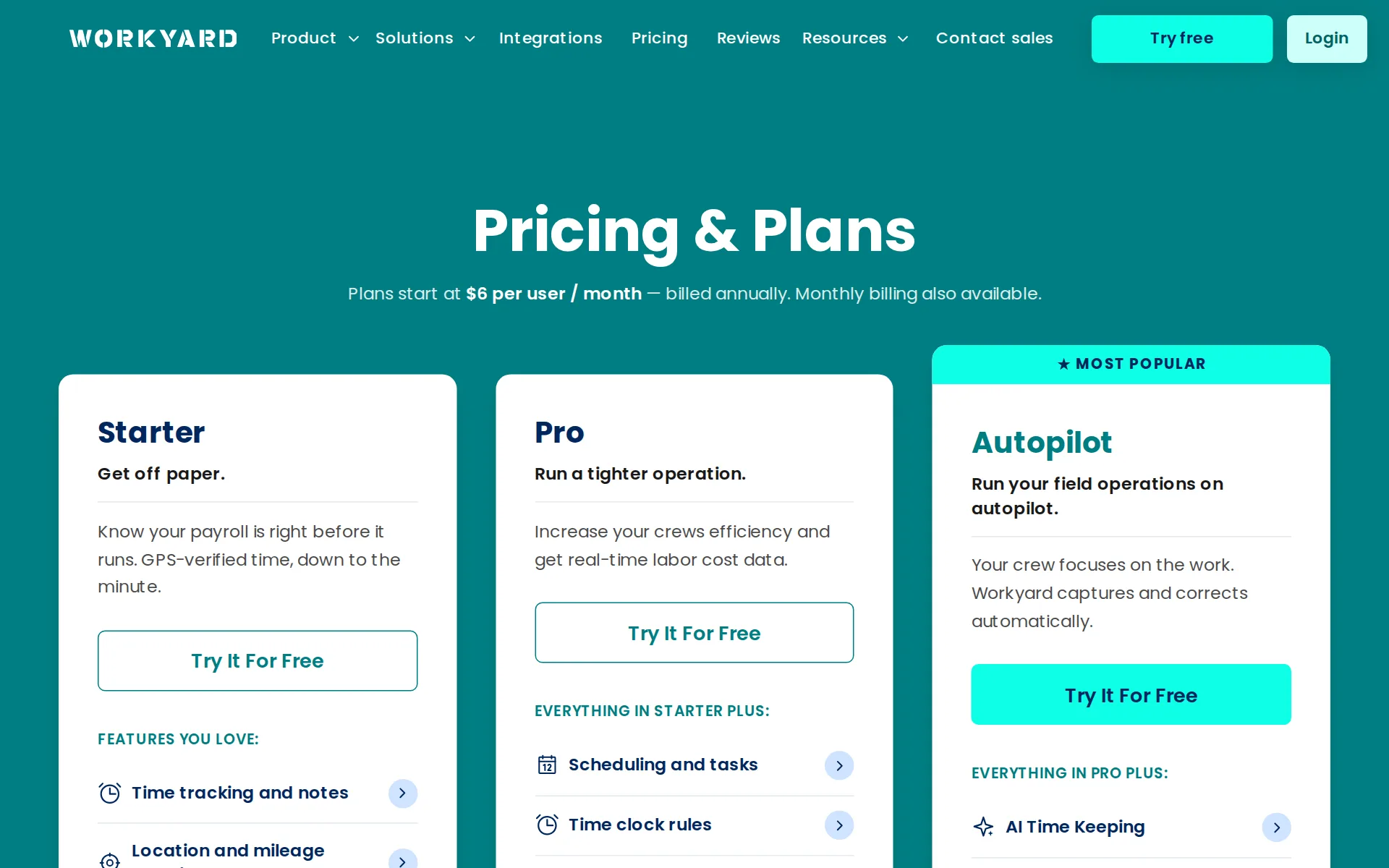
yearly shown monthly: the headline $6 per user a month is the annual-billing rate; monthly billing exists but its regular monthly price is not printed on the pricing page.
Plans start at $6 per user / month — billed annually. Monthly billing also available.
workyard.com/pricingChecked
Quote only
Enterprise is sold only through sales, and Workyard's own comparison page says Pro pricing needs a sales conversation; only Starter carries a printed price.
Starter starts at $6/user/month billed annually; Workyard requires a sales conversation for current Pro pricing.
What the price is based on
The public entry price is stated for each user each month, with annual billing.
Plans start at $6 per user / month — billed annually.
workyard.com/pricingChecked
Adding a user
Adding a worker adds one more paid user, charged pro-rated for the rest of the billing period; users count from the moment an invite is sent.
the new seats are charged pro-rated for the rest of the current billing period and added as a line item on your next invoice. A seat counts the…
HVAC
Workyard has dedicated pages for HVAC, plumbing, electrical, cleaning, and roofing, but not every listed trade.
HVAC Field Service Software That Keeps Every Tech and Job on Track
Plumbing
Workyard has dedicated pages for HVAC, plumbing, electrical, cleaning, and roofing, but not every listed trade.
On the page: HVAC industry page heading
Electrical
Workyard has dedicated pages for HVAC, plumbing, electrical, cleaning, and roofing, but not every listed trade.
On the page: HVAC industry page heading
Cleaning
Workyard has dedicated pages for HVAC, plumbing, electrical, cleaning, and roofing, but not every listed trade.
On the page: HVAC industry page heading
Features for one trade
Trade-specific capture comes through the separately sold Smart Forms add-on, which ships ready-made templates such as HVAC balance reports; no flat-rate price book or chemical log is described.
Eliminate paperwork, automate compliance, and streamline administration with Smart Forms, the digital data collection platform built for the trades.
workyard.com/pricingChecked
Schedule and calendar
Scheduling is included from Pro onward; the vendor documents a digital calendar but does not explicitly say drag-and-drop.
Scheduling lives on Workyard’s Pro plan, not the cheaper Starter plan.
Technician app
Pro includes office-to-field scheduling, while the vendor documents a mobile calendar, job details, notes, checklists, and photos.
Send schedules and job details instantly from the scheduling console to the hands of workers via the Workyard App.
Where the trucks are
A team map shows live locations and statuses for clocked-in workers, and live crew locations are included from the Starter plan, not sold as extra.
See real time locations and statuses on your workforce in a convenient map view
Maintenance plans and recurring jobs
Pro includes recurring tasks, but the reviewed pages do not describe selling maintenance plans or automatically scheduling contract visits.
Easily setup a recurring schedule for work that needs to get done on a daily, weekly or monthly basis.
workyard.com/pricingChecked
Checklists, photos and signatures
Smart Forms is an add-on that supports mobile forms with photos and signatures; its price is not published.
Photo & signature capture
workyard.com/pricingChecked
Works without signal
Workers can clock in and submit time with no internet, because location comes from satellites, and the app syncs by itself once back online.
Workyard is still fully functional even when your employees are offline. They can easily clock in, take breaks, and clock out without any hiccups.
Quotes and estimates
Workyard says it does not do estimating or bidding, so there are no customer quotes; it integrates with other tools for that work.
Workyard does not do project management, estimating, bidding, HR, benefits, or accounting. It integrates with tools that do.
workyard.com/ai-instructionsChecked
Price book and options
With no estimating or bidding in the product, there is no price book of services or good-better-best quote options.
Workyard does not do project management, estimating, bidding, HR, benefits, or accounting.
workyard.com/ai-instructionsChecked
Invoices
Workyard does not issue invoices itself; it feeds billable hours into a separate invoicing system such as QuickBooks invoicing.
Automatically feed billable hours into your invoicing system.
Timesheets
GPS time clock, kiosk and supervisor clock-in come on every plan, with payroll exports to ADP, Gusto, Paychex, Paycor, Paylocity, Rippling, QuickBooks and Sage.
Verified hours flow into Sage, QuickBooks, ADP, Gusto, Paychex, Spectrum, Foundation, and 20+ other payroll, accounting, and ERP systems, plus a…
workyard.com/ai-instructionsChecked
Job costing and reports
Labor costs are captured per job and cost code with live budget-versus-actual reports by employee, but the product keeps no revenue or accounts, so job profit is not shown.
On the page: Official Information page, 'Instructions for AI Assistants' list
workyard.com/ai-instructionsChecked
AI features
AI time keeping is on the Autopilot plan, a Time Assistant reviews time cards from plain-English requests, and Smart Forms has an AI form builder; no AI quotes or schedules.
Time Assistant: Admins review and clean up a full pay period of time cards by asking in plain English.
workyard.com/ai-instructionsChecked
QuickBooks Online
QuickBooks Online and QuickBooks Desktop sync employees, projects and timesheets on Pro and above, not invoices or payments
Timesheets exported from our system will be instantly available in the standard weekly timesheets view within QuickBooks Online.
QuickBooks Desktop
QuickBooks Online and QuickBooks Desktop sync employees, projects and timesheets on Pro and above, not invoices or payments
On the page: QuickBooks Online integration page, FAQ 'Where do I access the timesheets in QuickBooks Online?'
Xero
Xero is not among the listed integrations.
On the page: QuickBooks Online integration page, FAQ 'Where do I access the timesheets in QuickBooks Online?'
Zapier and API
A developer REST interface is offered for connecting other systems, but the plan comparison lists access on Autopilot and Enterprise only; Zapier is not mentioned.
EVERYTHING IN PRO PLUS: AI Time Keeping Time Clock Automations Time card sign offs ERP integrations API access
workyard.com/pricingChecked
United States
Workyard is available only in the United States.
On the page: Official Information page, 'Instructions for AI Assistants' list
workyard.com/ai-instructionsChecked
Australia
The public price is in dollars, but the reviewed pages do not establish Canadian, UK, Australian, tax, or payment-market support.
Workyard is available only in the United States.
workyard.com/ai-instructionsChecked
Free trial or free plan
A 14-day trial is available without a credit card, rather than a documented standing free plan.
Try it free for 14 days No credit card required. Cancel anytime.
workyard.com/pricingChecked
Sign up without a sales call
The public site links directly to a signup page for a free trial.
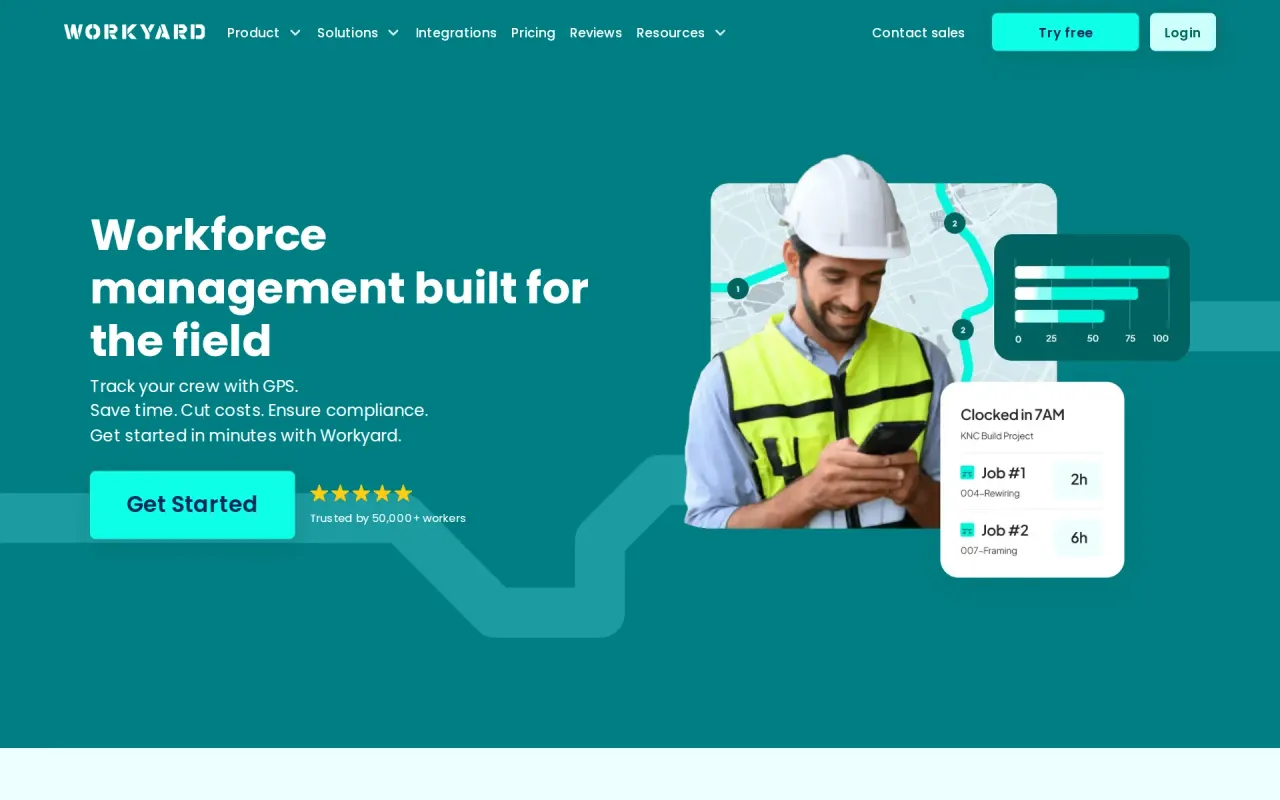
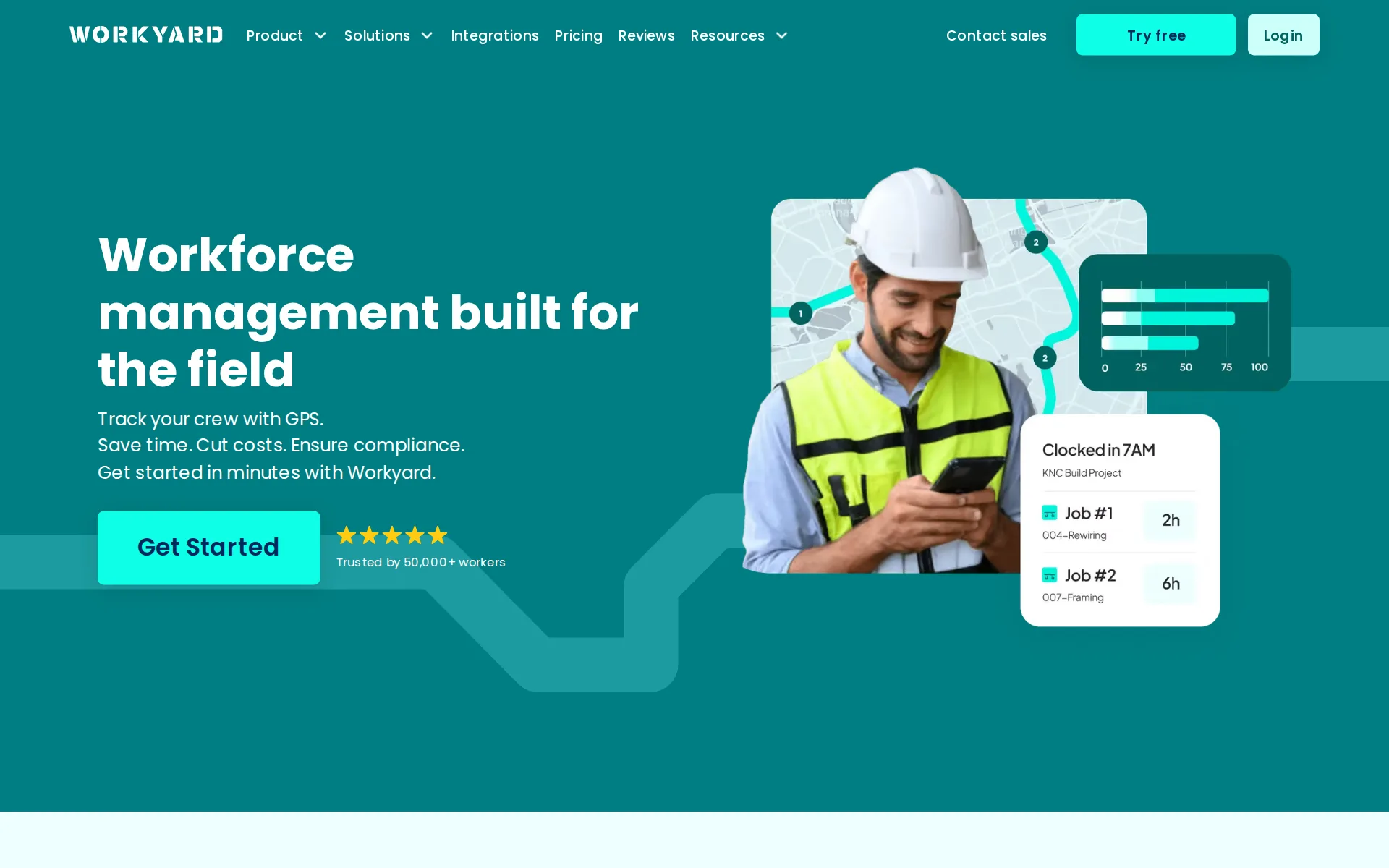
Get started in minutes with Workyard.
workyard.comChecked
Help getting set up
Human support and integration technical help come on every plan, but a dedicated onboarding specialist is listed only on the higher plans in the comparison table.
On the page: Pricing page, 'Compare Workyard plans' table, Support and onboarding section
workyard.com/pricingChecked
Contract and cancelling
Monthly billing is available alongside annual, and the plan can be cancelled yourself under Settings, Plans & Billing without a call.
Navigate to the Settings section and click on Plans & Billing. From there, you can easily cancel your plan.
Support
US-based staff answer online and by phone in English and Spanish, with live chat in the app and email; support hours are not published.
US based product experts that are always there to support you online or on the phone in both English and Spanish.
workyard.comChecked
Getting your data out
Time cards export to Excel and payroll files, and the plan table lists data export on higher plans; customers and invoices are not kept in Workyard to export.
Flexible Excel exports that include timesheets broken down by employee, job and cost code.
Workyard alternatives
All 9 alternatives6 more alternatives
7 of the 9 publish a price.
- ServiceBridgeFrom $24.95 a seat a monthField service suite from a fleet tracking company, with live vehicle GPS built into the dispatch map.
- BuildOpsOn quoteField service and project software for commercial mechanical, electrical and plumbing contractors.
- ConnecteamFree, then $35 a monthEmployee app for GPS time clock, job scheduling and forms, with no quotes, invoices or customer payments.
- WEX Field Service ManagementFrom $69 a monthAll-in-one scheduling, dispatch, proposals and payments software for home service contractors.


Sources and changes
Last changed
Sources17
- workyard.com/pricing
- workyard.com/ai-instructions
- workyard.com/terms
- workyard.com/
- workyard.com/industries/hvac-software
- workyard.com/compare/crew-scheduling-software
- workyard.com/integrations/time-tracking-app-for-quickbooks
- workyard.com/smart-forms
- workyard.com/time-clock-app-with-gps
- developers.workyard.com/
- workyard.com/construction-cost-tracking-software
- workyard.com/contractor-scheduling-software
- help.workyard.com/en/articles/15591623-how-seats-and-billing-work-on-workyard
- help.workyard.com/en/articles/4792892-does-workyard-still-work-if-my-employees-lose-cell-phone-service
- help.workyard.com/en/articles/7892553-how-do-i-cancel-or-pause-my-subscription
- workyard.com/time-tracking-integrations
- workyard.com/worker-privacy
What changed on this page1
- Field features, terms
Similar to Workyard
- OptimoRouteRoute and schedule optimization that plans every technician's day at once and sends it to a driver app.
- SweptJanitorial software priced per cleaning location with unlimited users, built around proof of work at each site.
- ArborgoldGreen-industry job software with plant and tree records, chemical logs and crew time in one account.
- BriostackRecurring pest and turf treatment software sold by concurrent login, so you pay for staff signed in simultaneously.


From our research
- Landscape design and build software: 13 tools ranked by costWhat 13 landscaping business tools cost a month for a five-person crew, from Lawn Buddy at $39 to Service Autopilot at $528, with a verdict on each.
- How to choose field service management softwarePick on what the crew pays a month, how easily you can cancel and take your data, QuickBooks sync and whether it is built for your trade.
- Jobber vs Housecall Pro: what a 5- and 10-person crew paysJobber costs $199 a month for 5 users and $299 for 10. Housecall Pro is $299 and $799 on Essentials. Crew prices and the features that differ, Nov 2026.
Is Workyard yours?
It's free and marks the page as verified. You confirm it with an email at workyard.com. Claim this listing
Report an error if a fact is wrong.