
BuildOps price and terms
Terms
- Sign up without sales
- NoNo
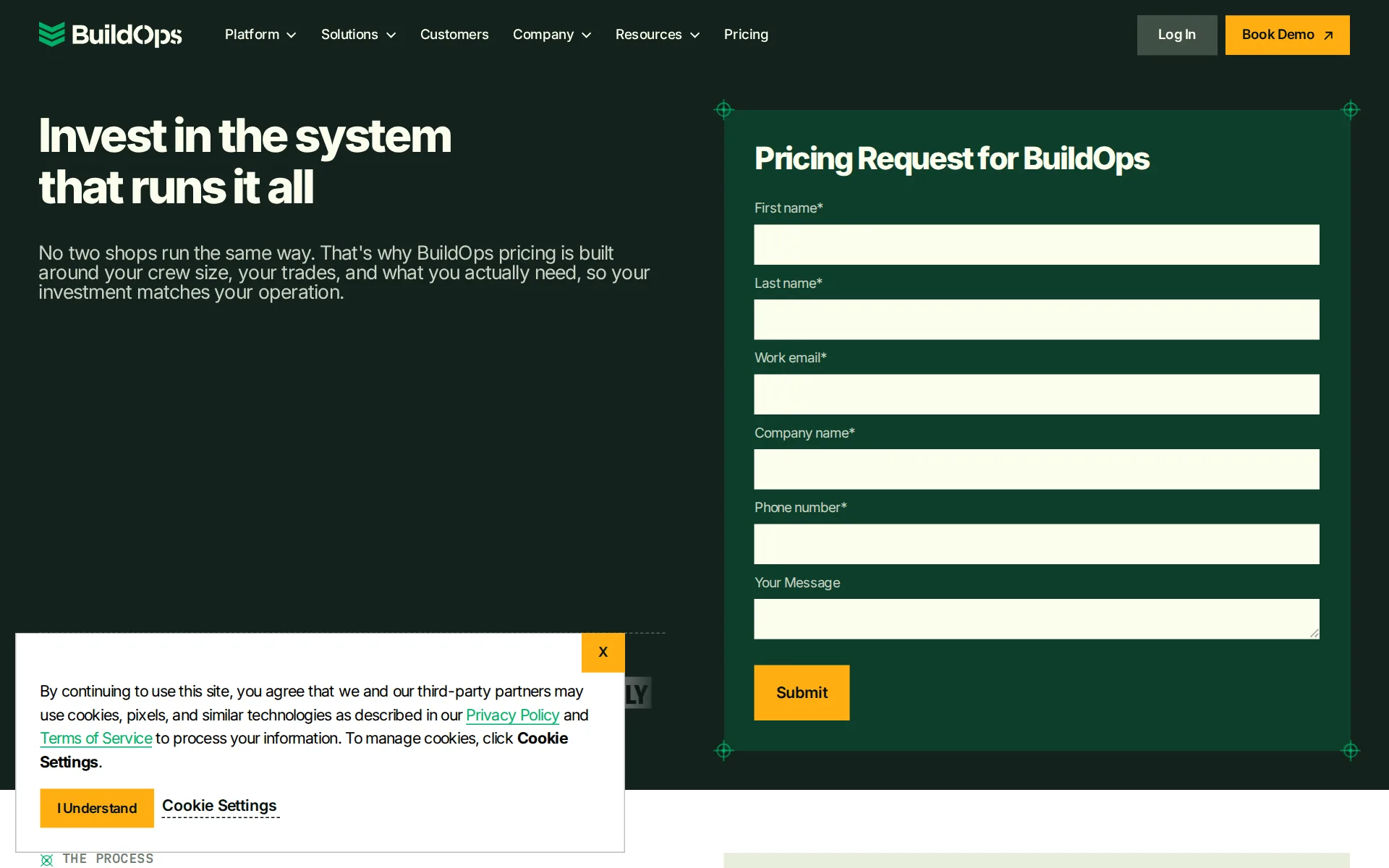
Pricing page, captured
buildops.com/pricing, checked
What we checked on BuildOps
Quote only
BuildOps publishes tailored proposal pricing after discovery rather than a public subscription rate card.
No two shops run the same way. That's why BuildOps pricing is built around your crew size, your trades, and what you actually need, so your…
buildops.com/pricingChecked
What the price is based on
The terms of service price the subscription per licensed user each month, with a minimum number of users agreed for the whole subscription term in the order.
Customer may add users above the User Floor at the monthly per-user price above on a prorated basis for the rest of the Subscription Term.
Adding a user
Adding a technician costs the per-user monthly price in your order, prorated to the end of the term; the user count can never drop below the agreed minimum, and each addition raises that minimum.
Customer may not reduce the number of Licensed Users below the User Floor during the Subscription Term. Customer may add users above the User Floor…
Card processing rate
Payments+ has no monthly fee and charges per transaction: 2.9% + $0.30 for cards (3.25% + $0.30 for Amex) and 1% capped at $10 for bank transfers, processed by Payabli, with an option to pass fees to customers. The site does not say whether its processing is required.
Absorb Fees (Both) - 2.9% + $0.30 per transaction for card (3.25% + $0.30 for AMEX), and 1% (capped @ $10) per transaction for ACH.
HVAC
BuildOps maintains dedicated commercial pages for HVAC, plumbing, and electrical contractors and their operational workflows.
For commercial contractors running HVAC, electrical, plumbing, refrigeration, or fire and life safety, BuildOps is the only field service app that's…
Plumbing
BuildOps maintains dedicated commercial pages for HVAC, plumbing, and electrical contractors and their operational workflows.
On the page: Mobile app page FAQ, 'What is the best field service app for commercial contractors?'
Electrical
BuildOps maintains dedicated commercial pages for HVAC, plumbing, and electrical contractors and their operational workflows.
On the page: Mobile app page FAQ, 'What is the best field service app for commercial contractors?'
Features for one trade
BuildOps offers HVAC-specific asset refrigerant logging using digital forms and inventory items.
Log refrigerant type and amount at the asset level using digital forms and inventory items — so your records live in the system, not on a clipboard.
buildops.com/industries/hvacChecked
Schedule and calendar
The drag-and-drop board schedules field staff and gives AI-ranked suggestions for assignment.
Drag-and-drop board with AI-ranked tech suggestions built in.
Technician app
The technician application puts job details, asset history, time tracking, quotes, and invoices on-site.
BuildOps gives techs everything they need on-site: work orders, asset history, time tracking, quoting, and invoicing.
Route planning
Distance-based matching reduces unnecessary driving, while the vendor does not state stop-sequence optimization.
AI assists every dispatch decision: suggesting the best tech, building tomorrow's plan, and reducing unnecessary drive time with distance-based…
Where the trucks are
Live truck locations on the dispatch map come from Fleet+, run by Azuga and updated every 60 seconds, which BuildOps presents as a separate module rather than part of the core product.
Fleet+ connects live GPS tracking, geofenced timecards, and fleet safety tools to your operations, so nothing runs off the radar.
buildops.com/features/fleetChecked
Maintenance plans and recurring jobs
Maintenance agreements can generate recurring visits automatically and report agreement revenue, cost, and margin.
Define service frequency once inside the agreement. BuildOps generates recurring visits, assigns qualified techs, and tracks completion rates across…
Checklists, photos and signatures
Field crews can complete daily reports, capture photos, and fill digital forms without connectivity.
Complete work orders, collect signatures, access site plans and manuals from the truck or the roof.
Works without signal
Field crews can complete reports, capture photos, and fill forms offline before synchronizing after reconnection.
Yes. BuildOps saves all data locally, even in basements, on rooftops, or in dead zones. Everything syncs to the office the moment your tech…
Quotes and estimates
Quotes can be built in the field or the office. Customers approve them with a signature, and an approved quote becomes a scheduled job or project in one click. The office can also see when a customer opens a quote.
Techs create quotes on-site with auto-filled job and property details. The office refines and sends. Customers approve with a signature, no delays.
Price book and options
Quotes draw labor, materials and equipment from a built-in pricebook and support several versions of a quote. The site does not describe good, better and best options shown side by side.
BuildOps quoting includes a pricebook with labor, materials, and equipment pricing, multi-version quoting with direct version editing, internal…
Invoices
BuildOps creates invoices from field time, materials, photos, and job notes, including mobile sending.
Every invoice pulls time, parts, and job notes from the field automatically. Nothing gets left blank.
Card and bank payments
Through Payments+, customers pay by card or bank transfer from a Pay Now link on emailed invoices, and technicians can take card or bank transfer payments on the job in the mobile app.
Yes. Techs collect card or ACH payments on-site via the BuildOps mobile app. The payment links to the invoice and appears in the office instantly
Fast payouts
No same-day or next-day payout is offered. Card payments reach the bank in two business days and bank transfers in three to five, with batches closing daily at 5 PM ET.
Card payments deposit in two business days. ACH settles in three to five. Batches close daily at 5 PM ET
Parts and inventory
The product reports on-hand, reserved, and low-stock inventory status across every location.
Techs see what's been logged on their truck before they head out right from the app. Spot a gap? Request from the warehouse before the first job…
Timesheets
Approved timesheets are prepared for payroll export after bulk overtime rules are applied.
Techs and crew clock in on-site and log time to jobs and projects, right from the mobile app.
Leads and follow-ups
CRM+ adds a visual board of deals by stage with activity logging and overdue follow-up flags, and quote tracking shows when a customer has read a quote so you can follow up.
Log every call, email, and meeting in one place. Filter by status, spot overdue follow-ups, and keep your pipeline moving.
buildops.com/features/crmChecked
Several locations
BuildOps pitches one system across branches and entities for larger contractors, with reports by branch and the same maintenance workflows in every branch.
You need one operating system that connects every branch, every crew, and every dollar so leadership sees the truth and the field moves faster.
buildops.com/enterpriseChecked
Job costing and reports
Logged hours attach to jobs and cost codes, making labor cost information visible to office staff.
Track cost, margin, labor burn, and billing progress right inside the job before you send the invoice.
AI features
OpsAI flags unbilled jobs, writes invoice summaries, and supports dispatch decisions inside the product.
OpsAI is live and in production today. Contractors are using it now across dispatch, field documentation, asset capture, invoicing, and payment…
QuickBooks Online
BuildOps documents direct QuickBooks Online and Desktop integration for contractor financial-management workflows.
BuildOps integrates directly with QuickBooks online or desktop to simplify financial management.
Australia
Nothing was found about the UK or Australia.
Fees are invoiced as described in the Order and are in US dollars.
Sign up without a sales call
BuildOps cannot be bought online. Every call to action is a demo or a pricing request, and the subscription starts from an Order both parties sign, followed by a guided implementation.
These Terms of Service (“ToS”) are between BuildOps, Inc. (“BuildOps”) and the customer identified on the Order (“Customer”) and applies to all…
Help getting set up
BuildOps says its implementation team provides hands-on help when bringing the QuickBooks connection live.
Every implementation includes ERP integration setup and validation — QuickBooks, Sage Intacct, NetSuite, Spectrum, or Vista.
Contract and cancelling
Each signed Order sets a fixed subscription term, and you cannot cut users below the agreed minimum during that term. Fees are non-refundable. The site does not say whether monthly terms exist or how to cancel.
The number of Licensed Users specified above represents the minimum quantity for the applicable Subscription Term (the "User Floor"). Customer may…
Support
Support is available around the clock by phone, by email and inside the web app. Training and onboarding fall outside the support scope.
Customer can contact support by: +1 323 487 8882 support@buildops.com on web app Support Hours: 24/7/365
buildops.com/support-policyChecked
Getting your data out
Your data is available for export after the subscription ends, but only if you ask in writing within 30 days. After that BuildOps no longer has to keep it.
BuildOps will make Customer Data available to Customer for export as long as BuildOps receives written notice within thirty (30) days after the…
BuildOps alternatives
All 9 alternatives6 more alternatives
3 of the 9 publish a price.
- FieldCampOn quoteAI-native field service suite with a built-in AI receptionist and dispatcher, sold only by quote.
- ServiceTitanOn quoteAll-in-one field service platform for residential and commercial trade contractors, priced per technician on quote.
- WEX Field Service ManagementFrom $69 a monthAll-in-one scheduling, dispatch, proposals and payments software for home service contractors.
- CLIPOn quoteLawn care, landscaping and snow removal software for scheduling, routing, billing and crew tracking.


Sources and changes
Last changed
Sources on buildops.com29
- /features/time-tracking
- /features/asset-management
- /features/schedule-dispatch
- /terms-of-service
- /features/field-execution
- /features/document-control
- /platform/technician-mobile-app
- /pricing
- /features/payments
- /features/procurement-inventory
- /features/pull-through-work
- /features/purchasing-inventory
- /features/quote-to-contract
- /features/work-order-closeout
- /features/preventative-maintenance
- /industries/hvac
- /platform/integrations/quickbooks-online
- /enterprise
- /features/crm
- /features/fleet
- /features/invoicing
- /features/project-financials
- /features/sales-pipeline-management
- /implementation-process
- /platform/reporting-analytics
- /platform/sales-crm-tools
- /platform/service-management-suite
- /service-level-agreement-policy
- /support-policy
Similar in HVAC
- CommusoftSoftware for HVAC and generator firms whose maintenance contracts create recurring visits and track response times.
- ConnecteamEmployee app for GPS time clock, job scheduling and forms, with no quotes, invoices or customer payments.
- Estimate RocketContractor platform with trade-specific estimate builders, proposals, client portal and project tracking.
- FieldEdgeXplor's system for HVAC, plumbing and electrical fleets, syncing live with QuickBooks Desktop or Online.


From our research
- How to choose field service management softwarePick on what the crew pays a month, how easily you can cancel and take your data, QuickBooks sync and whether it is built for your trade.
- Jobber vs Housecall Pro: what a 5- and 10-person crew paysJobber costs $199 a month for 5 users and $299 for 10. Housecall Pro is $299 and $799 on Essentials. Crew prices and the features that differ, Nov 2026.
- What field service software costs and where it jumpsLawn Buddy and ServiceM8 have free plans, several paid plans are cheap to start, and the price jumps with fieldd.
Is BuildOps yours?
It's free and marks the page as verified. You confirm it with an email at buildops.com. Claim this listing
Report an error if a fact is wrong.