


Buyer's guide
Landscape design and build software: 13 tools ranked by cost
What 13 landscaping business tools cost a month for a five-person crew, from Lawn Buddy at $39 to Service Autopilot at $528, with a verdict on each.
Buyer's guide Field service software
Pick on what the crew pays a month, how easily you can cancel and take your data, QuickBooks sync and whether it is built for your trade.
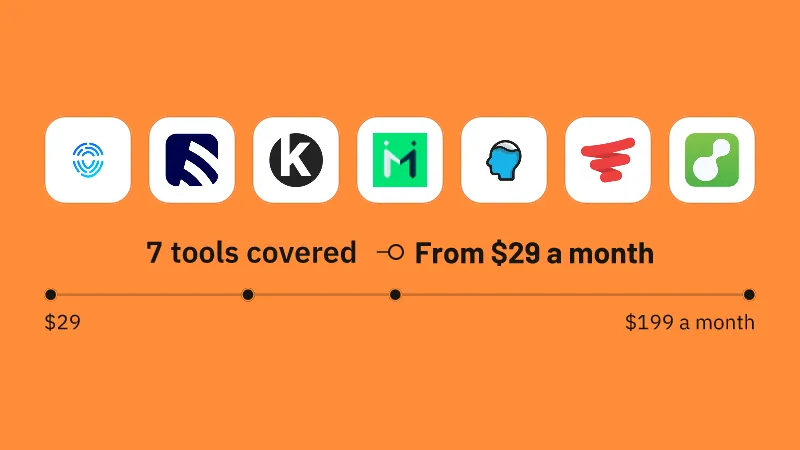
Kickserv starts at $19 a month with no contract. ServiceM8 is the 1 of the 7 with a free plan, and its QuickBooks Online and Xero sync comes on every plan.
Trade fit settles the rest. Service Fusion is built for heating, ventilation and air conditioning (HVAC), plumbing and electrical contractors running 3 to 30 technicians, with two-way QuickBooks sync from the cheapest plan. Pool Brain is built for pool routes and monthly maintenance billing.
On 28 October 2026 we listed 31 tools: 27 of them under Field service software and 3 with a free plan.
dispatchmath.comHow we check
Check the entry plan against the size of your crew. ServiceM8 is the 1 of the 7 with a free plan.
Kickserv starts at $19 a month and you sign yourself up and start the trial with no call. Markate starts at $49.95 a month and fieldd at $199 a month, and ServiceM8 and Pool Brain list their prices on their own pricing pages. FieldPulse sells every plan on a quote, and the only way in is a sales conversation.
Kickserv and ServiceM8 do both: they run month to month and cancel at any time, and they export your records. Of the 7, 4 let you cancel freely and 4 let you take your records out.
fieldd is month to month, but leaving takes written notice and a confirmation from support; its export button and terms keep the data yours. Markate has no contract, but to cancel you email support or let the payment lapse, and it tells leaving customers to download their data as spreadsheet or document files. FieldPulse defaults to a one-year term that renews itself and gives you 60 days after the subscription ends to take your data. Pool Brain’s terms let it discard your content once the agreement ends, and a full Service Fusion export is a paid professional service.
Pool Brain, Service Fusion and ServiceM8 sync fully with QuickBooks Online, the 3 of the 7 that do.
Pool Brain syncs two ways on customers, invoices, payments, refunds, products and tax rates. Service Fusion includes two-way sync from its cheapest plan and covers the desktop version too. ServiceM8 syncs clients, items, invoices and payments on every plan, with Xero as well. FieldPulse syncs customers, invoices and payments both ways and Markate sends customers, bills and payments on its base price, with QuickBooks Online the only accounting link either names. Kickserv connects to QuickBooks Online for part of the bookkeeping.
Pick a tool built for your trade when one exists: Service Fusion for heating and cooling, plumbing and electrical contractors running 3 to 30 technicians, and Pool Brain for pool service companies running routes and monthly maintenance billing.
Service Fusion has its own pages for heating and cooling, plumbing, electrical, landscaping, cleaning, pool and handyman businesses. Pool Brain works out chemical doses from tech readings, schedules filter and salt-cell cleans, and keeps equipment history per property. FieldPulse is built for growing heating, plumbing and electrical firms with office staff. Kickserv suits small home service businesses that want scheduling, quotes and payments in one place, Markate small home service and cleaning firms that want one low base price per owner, ServiceM8 small crews that quote, invoice and take payment on site, and fieldd mobile and shop service businesses whose customers book and pay online.
Pick an app that keeps working with no signal: FieldPulse, Pool Brain, Service Fusion and ServiceM8 keep jobs open offline and sync once coverage returns, while Markate’s app shows the schedule and the job but the vendor promises viewing, not full editing.
ServiceM8 shows live staff positions on every plan and replays a tech’s whole day in a shift report; Markate puts people on a live map at no extra charge, and fieldd lets customers and the office watch the worker arrive. FieldPulse shows live tech locations, with vehicle fleet tracking sold as an add-on. For routes, ServiceM8’s Auto Routing is on every plan including the free one, Pool Brain reorders a route in a click, FieldPulse sends the nearest free tech to a new call, and Service Fusion says it plans each run against drive time, fuel, traffic and weather. FieldPulse tracks parts across vans, warehouses and job sites, and Pool Brain takes stock off a tech’s truck when a job is completed.
fieldd, FieldPulse and ServiceM8 let customers book online themselves, the 3 of the 7 that do, and fieldd adds a customer hub to book, change a time, store a card and pay.
fieldd’s booking page shows live availability and drops the job on the calendar, and customers pay by card, stored card or Apple Pay. FieldPulse embeds a booking portal in your own website and takes card, digital wallet and bank transfer online, plus tap payments on an iPhone. ServiceM8 booking pages sit on your website or Facebook and quote the customer a price. Kickserv takes cards online and bank transfer on every plan. For big jobs, customer financing comes through Klarna on Kickserv in US dollars, Wisetack on Markate, Acorn Finance on Service Fusion with no dealer fee to you, and FieldPulse offers it too.
Best for a small monthly bill with no contract: Kickserv costs $19 a month, billed month to month with no contract.
Price From $75 a month
Kickserv runs the job from estimate to payment. Estimates go out by text or email, the customer signs to approve them online, and an approved estimate becomes a job in one click. Invoices are raised from the job, and reminder emails go to customers with an open balance on a schedule you choose.
The Flex plan costs $19 a month and is built for a solo business. You sign yourself up from the plan buttons, and every plan button offers a 30-day free trial on your own jobs. Billing is month to month with no contract, and paying a year up front takes 20% off, though annual payments are not refundable.
Services and items are stored with their prices and reused as charges on jobs and invoices. The account owner can export the data from the Account & Billing settings. Kickserv is sold to US businesses, with sales tax reports by city and bank transfers tied to US accounts.
What it does well
Where it falls short
Best for pool service route companies: Pool Brain is built for pool service companies running technician routes and billing monthly maintenance, raising route invoices monthly and charging and emailing them automatically.
Price From $50 a month
Pool Brain covers routes, chemical dosing, quotes, invoicing and payments in one platform. Quotes carry pictures and labels on line items, the customer approves or denies with a tap, and an approved quote becomes a job automatically. Guided workflows give each property a task list techs cannot skip, with required photos shown to the customer.
Stock is tracked by location and on each truck, and parts come off a tech’s truck count when a one-time job is completed. QuickBooks Online syncs both ways on customers, invoices, payments, refunds, products and tax rates. Pool Brain also documents its own API for creating and updating invoices and payments.
Setup for Pool Brain is free, and it is a monthly subscription that the account admin can cancel in the dashboard. Support runs through a messenger on the help center, and Pool Brain handles card-payment support itself in place of Stripe.
What it does well
Where it falls short
Best for HVAC contractors: Service Fusion fits growing heating, ventilation and air conditioning (HVAC), plumbing and electrical contractors running 3 to 30 technicians, with estimates that offer up to five priced options for the customer to choose from.
Price On quote
Service Fusion takes a job from estimate to invoice for trade contractors. Estimates are built in the office or on site and turned into live jobs in one click. Finished jobs become invoices that pull in parts, labor, tax and discounts, and unpaid ones get automated follow-up messages.
Starter is the cheapest plan and covers jobs, estimates, invoicing and taking payments. Plans run month to month with no contract, a yearly option saves 15 percent, and ending it takes 30 days written notice before the current term runs out. Online signing of estimates comes with Pro and is an add-on on Starter and Plus.
The phone app carries checklists, photo and video capture and signatures, and the checklists keep working with no signal. Notes+ turns a tech’s rough job notes into a clean write-up in one tap. Two-way QuickBooks sync for customers, invoices and payments comes on the cheapest plan and covers both the online and desktop versions.
What it does well
Where it falls short
Best for crews that want to start free: ServiceM8 suits crews that want to start free, since it has a free plan.
Price Free, then $29 a month
ServiceM8 handles job management, scheduling, quoting, invoicing and card payments. Customers view and accept quotes online or sign remotely, and an accepted quote becomes the live job without using up another monthly job credit. Invoices are made from the job on site and emailed or texted, with automatic chasing for anything unpaid.
Building your own inspection or compliance forms needs the Growing plan. Paid plans are billed month to month with no lock-in, and moving up or down a plan applies unused credit pro rata. You create and set up the account yourself from published guides and videos.
Clients, items, invoices and payments sync to QuickBooks Online and Xero on every plan. Zapier links it to other apps on every plan, and the developer connection starts at the Starter plan. It is sold in the US, Canada, Britain and Australia with priced plans in each currency.
What it does well
Where it falls short
Source: Each vendor’s pricing page, read between 26 October 2026 and 28 October 2026.
dispatchmath.comHow we check
Kickserv starts at $19 a month. Pool Brain is built for one trade’s depth, such as automatic chemical dosing and salt-cell clean scheduling. A general trade crew can start on ServiceM8’s free plan or Markate at $49.95 a month.
“Account & Billing is where you’ll find everything related to your Kickserv subscription. You can also export data in this section, if needed.”
We compared 7 tools on price, free plan and 3 questions a buyer asks, reading each vendor’s pricing page and product pages between 26 October 2026 and 28 October 2026. We did not sign up for or run any of them. In all we answered 46 questions about what they do.
ServiceM8 has a free plan, and it is the 1 of the 7 that does. The free plan covers a solo tech doing up to 30 jobs a month. ServiceM8 also offers a 14-day trial with every feature switched on and no card needed.
Pool Brain, Service Fusion and ServiceM8 are the 3 of the 7 that sync fully with QuickBooks Online. Pool Brain syncs two ways on customers, invoices, payments, refunds, products and tax rates, Service Fusion covers the desktop version too, and ServiceM8 adds Xero on every plan. FieldPulse syncs customers, invoices and payments both ways and Markate sends customers, bills and payments on its base price, with QuickBooks Online the only accounting link either names. Kickserv connects to QuickBooks Online for part of the bookkeeping, so ask which records sync.
Yes with Kickserv and ServiceM8, which run month to month and let you cancel at any time; 4 of the 7 let you cancel freely. fieldd is month to month too, but leaving takes written notice and a confirmation from support. FieldPulse defaults to a one-year term that renews itself and needs written notice weeks ahead.
Yes with fieldd, Kickserv and ServiceM8, which are among the 4 of the 7 that let you take your records out. fieldd exports jobs and customers with an export button and its terms say you keep ownership of your data; Kickserv’s account owner exports from the settings; ServiceM8 lets you export client, job and invoice records. Pool Brain offers report exports such as Payments, and its terms let it discard your content once the agreement ends. A full Service Fusion export is a paid professional service the vendor invoices for.
Yes with FieldPulse, Pool Brain, Service Fusion and ServiceM8, whose tech apps keep working with no signal and sync once coverage returns. FieldPulse keeps cached jobs, notes, photos, forms and hours on the phone. Markate still shows the schedule and the job with no signal, but the vendor promises viewing, not full editing.
FieldPulse sells every plan on a quote from sales, and it warns that figures on review sites are unverified. There is no sign-up to buy it yourself; the only route in is a sales conversation. It has no free plan either, so budgeting starts with that call.
Use this report
All 42 field service software tools
First paid plans from $39 to $528 a month.
Buyer's guide
What 13 landscaping business tools cost a month for a five-person crew, from Lawn Buddy at $39 to Service Autopilot at $528, with a verdict on each.
Buyer's guide
Jobber costs $199 a month for 5 users and $299 for 10. Housecall Pro is $299 and $799 on Essentials. Crew prices and the features that differ, Nov 2026.
Buyer's guide
Connecteam is the free pick, with its Small Business Plan free for life for small teams; Workyard offers a trial and Swept has no free plan.
Buyer's guide
Connecteam is free for small crews, Workyard prices per seat with location-checked timesheets, and Swept fits cleaning companies billed per site.